Your stories are not locked in. Export downloads an infinite story as a self-contained offline page or as a re-importable data file, and Import turns such a file back into a full story on any account. One-shots add a picture export and a markdown copy on top.This guide walks through the export dialog, the import flow on the home page, what the formats are good for, and the copyright rules that apply once imported content goes public.
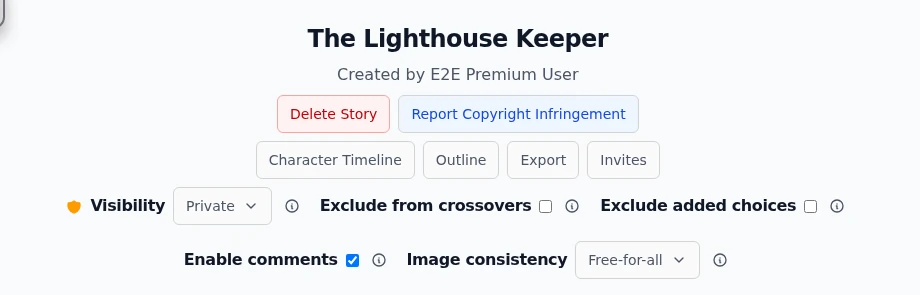
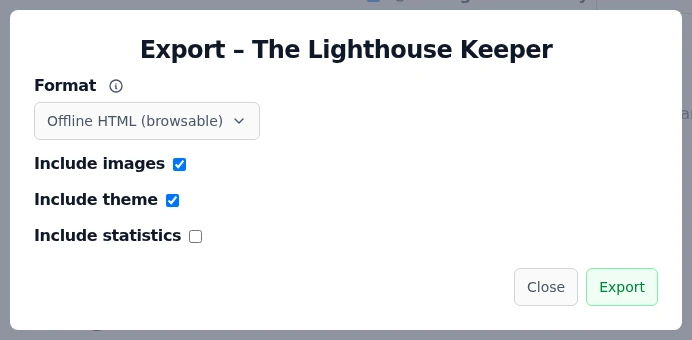
Export is an owner action: on your own story you find the Export button in the action row inside the overview page's Story details block (that block opens collapsed on every visit, so tap it open first), and next to the recap button on the story card while reading. Exporting infinite stories is a premium feature. Non-premium owners see the button disabled and can always use the regular screenshot button in the top right toolbar instead.Export sits in the owner action row of the story overview.The dialog offers two formats. Offline HTML (browsable) produces the whole story as one self-contained page: every chapter linked through its choices, your current theme applied, readable without any internet connection. JSON (technical) is the app's own data format, the one the import understands. Three checkboxes control whether images, your current theme and the reading statistics ride along.Pick a format, choose what to include, press Export. The download arrives as a zip.
Stories over 100 chapters cannot be exported yet. The dialog says so up front and offers a Request this feature button that genuinely lands on our desk.
Importing a story
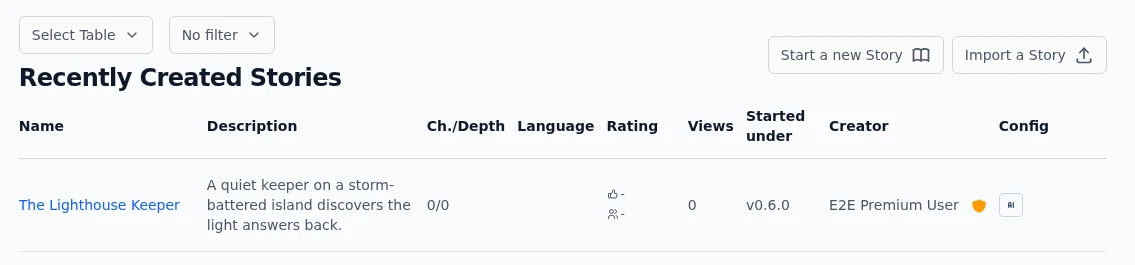
The Import a Story button sits next to Start a new Story on the home page. It accepts the JSON export format and recreates the story under your account: chapters, choices, images and, in newer exports, embedded characters and scenes.Import lives where new stories start: on the home page.
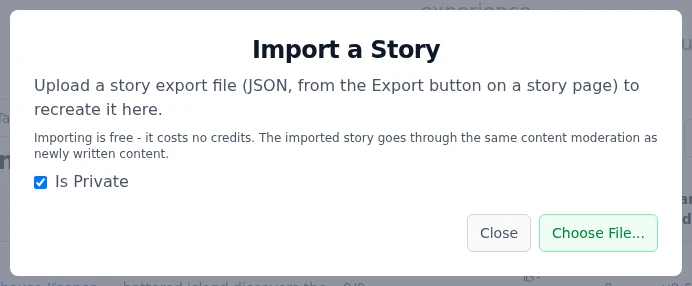
Click Import a Story. Decide with the Is Private checkbox whether the copy starts private (recommended) or public.
Press Choose File... and pick the exported .json file.
The story is created and you land on it immediately. Importing is free and costs no credits.
If the export carried a theme, a follow-up dialog offers to apply that look to your own device. Declining changes nothing.
One file picker, one privacy choice. The rest is automatic.
Imported chapters go through the same content moderation as newly written ones, and premium-only settings inside the file (like custom validation or locked image styles) are checked against your account exactly as at story creation.
One-shots: picture and markdown
Short-story one-shots have two lighter export routes in the toolbar above the chapters. The markdown button copies the whole story as markdown to the clipboard. Any logged-in reader gets it in Advanced mode, and it is hidden in Simple. The camera button on your own one-shot renders the styled reading view into a downloadable image. Export as picture is a premium feature. The regular screenshot button in the top right toolbar remains available to everyone.The full export dialog with its HTML and JSON formats is currently an infinite story feature, so a one-shot travels as markdown or picture rather than as a re-importable file.
Copyright: what import does not change
An import makes you the owner of a copy, not of the rights. Publishing someone else's exported story, or any text you do not hold rights to, is a copyright violation like any other upload. Keep imports of other people's work private, or better, ask the creator first.Every public story page carries a Report Copyright Infringement button. A filed claim takes the story out of public view while it is reviewed, and the story page shows the claim as in process. Claims themselves are guarded: they require evidence, cannot target your own story, and are rate limited per account.
Best practices
Keep a JSON export of stories you care about. It is the only format that round-trips back into the app, and it doubles as an offline backup.
Use the HTML export for sharing with people who do not have an account. It opens in any browser, offline, with your theme.
Untick Include images when the file only needs to carry the text. Images dominate the zip size.
Import as private first, read the result once, then publish. That is also the moment to double-check you hold the rights.
Exporting with Include theme shares your current look. Export with the theme you want readers to see, not whatever you happened to be testing.
Under the hood
Both formats are generated on the backend and returned as a zip. The HTML variant is a single self-contained page with the chapter tree wired through its choice links and your current theme baked in as CSS.For JSON exports the app computes your styling's difference from the defaults and embeds it as a theme diff. On import that diff is offered as a local styling change on your device, never as a shared theme.Hard export caps: 100 chapters, plus an image-count cap the server checks during export. Over the cap the dialog swaps to the feature-request flow.Import validates before it writes: 25 MB body limit, format version 1 or 2, per-field size caps, chapter and image count limits, and the standard NSFW text check on the content. The import itself bills nothing, the story is created directly from the file.The import re-runs the same premium checks as story creation for premium-gated config carried in the file, so a hand-edited export cannot smuggle locked features onto a basic account.