The Language cheat sheets are a reference library with five catalogues. English and German each have one. So do French and Turkish. Italian is the fifth. Each page takes one thing you might trip over and explains it at one CEFR level. Each explanation comes with worked examples and memory aids. It also covers the mistakes learners actually make.The whole library is free with an account. No credits, no premium, no generation waiting time. This guide covers the catalogue, the page families inside it and the example view that decides how much grammatical detail each sentence shows.
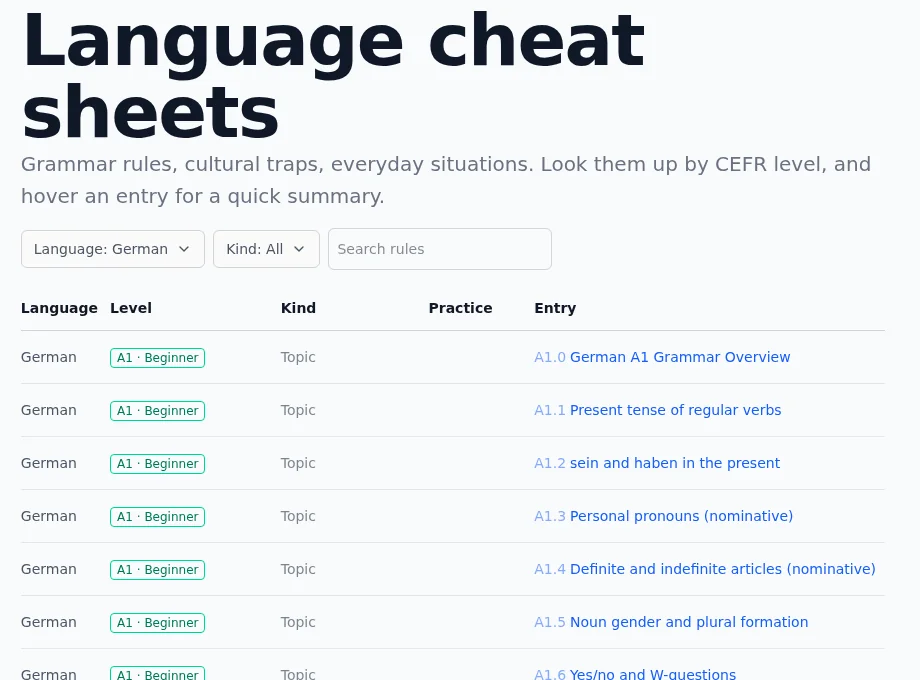
Open the library from the Language cheat sheets button on the Learning page. It opens on the last language you browsed and lists every page for it in learning order, from A1 upward, with the level badge and the kind on each row.One table in natural learning order. The order code (A1.8) is the position in the journey, not a page number.Hover an entry for a one-line summary before you open it. The Practice column marks the rules a grammar course already covers, so a badge there means you can drill the rule instead of only reading it.
Grammar, cultural traps, common situations
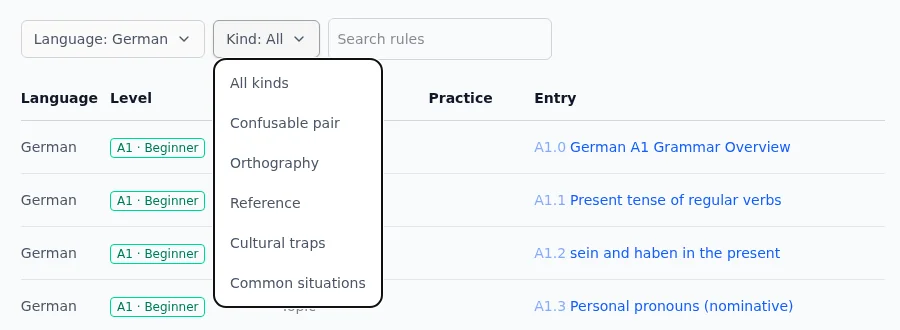
Most pages are plain topics from the learner journey: a tense, a case, a word-order rule. Around them sit smaller families. Confusable pairs put two lookalikes side by side. Orthography covers spelling and punctuation. Reference pages fill gaps a learner's own language leaves open.Two families joined in v0.16.2. Cultural traps describe where a literal translation is correct and still lands badly, always naming the region it holds for and the phrase that repairs the situation. Common situations are scripted dialogs for everyday encounters, with the lines in order, the speaker named per line, and the register rules that decide how formal you should sound.The Kind filter offers only the families that exist for the language on screen, so the list differs per language.
Content lands language by language. A kind with no pages yet for your language is simply not offered in the filter, and your remembered filter falls back to showing everything rather than emptying the table.
Finding the page you need
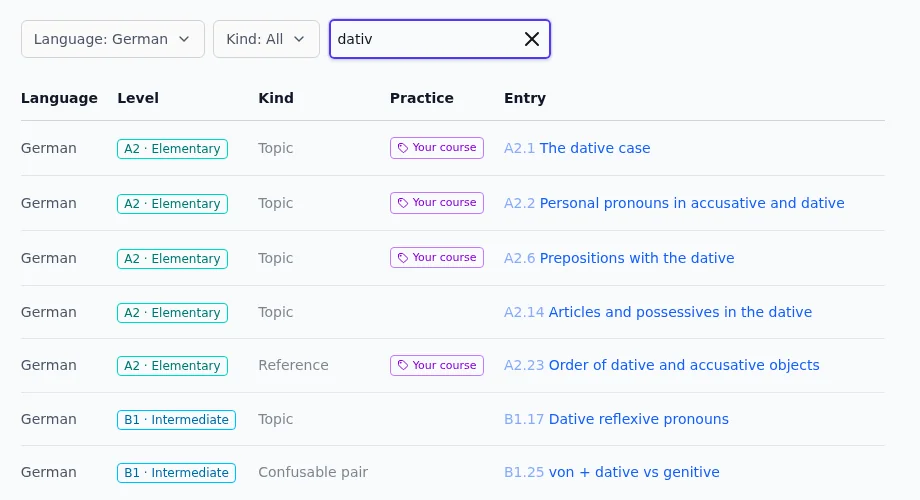
Three controls sit above the table. Language switches between the five languages and is remembered. Kind narrows to one family. The search box matches titles in English and in the target language, so both *dative* and *Dativ* find the German case pages.Searching dativ pulls every dative page across levels, including the B1 confusable pair.Inside a page, previous and next at the bottom walk the same order across level boundaries. Reading the library front to back is a legitimate way to use it.
Inside a page
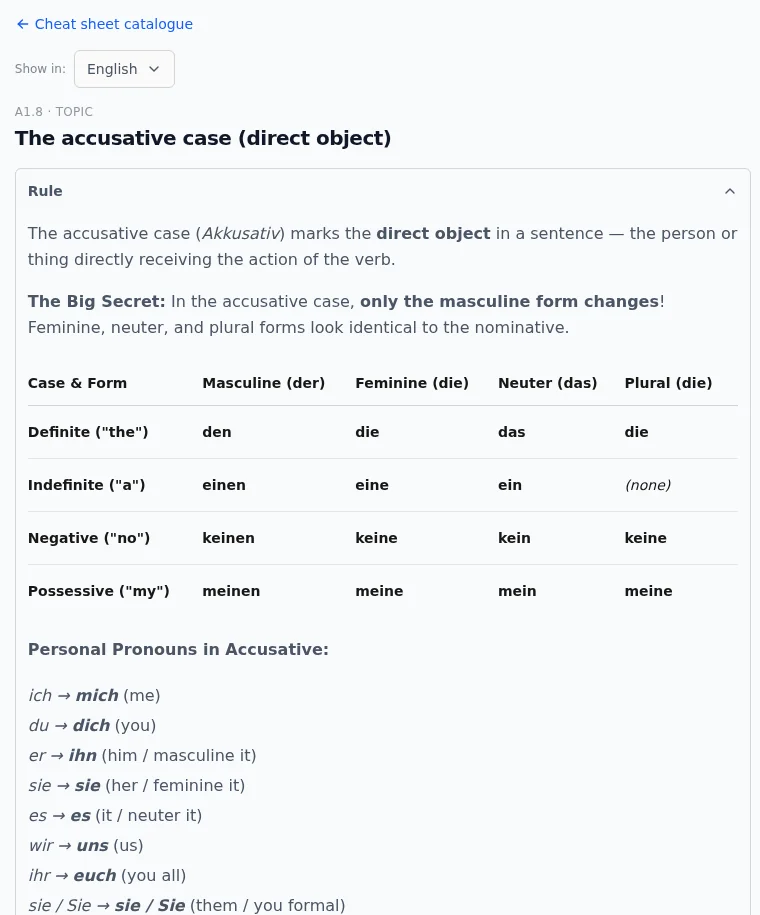
A page opens with the rule, in prose and in tables where a paradigm needs one. Below that sit collapsible sections: Another angle restates the rule differently for when the first explanation does not click, When to use it is about choosing between competing forms, then come the examples, the memory aids, the common mistakes and links to related pages.The rule first, with the paradigm table where one helps. Everything below it is collapsed until you open it.The Show in dropdown at the top switches the explanations between English, the language you are learning and both at once. Reading the German explanation of a German rule is harder and pays off, which is why the switch is one click away and remembered on your device.
Examples and the sentence breakdown
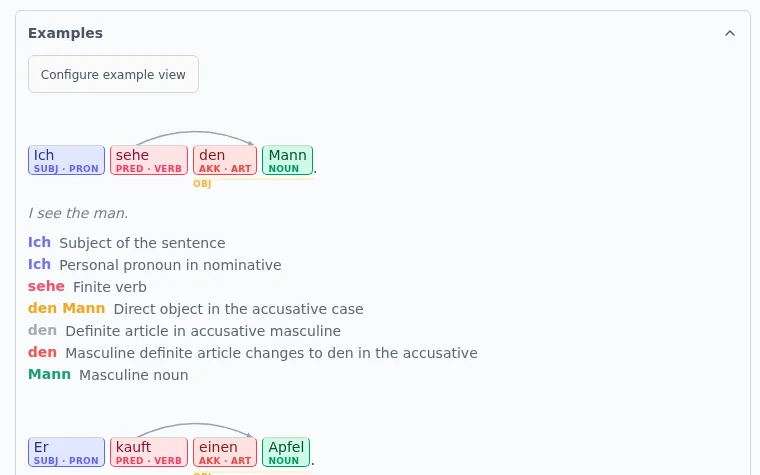
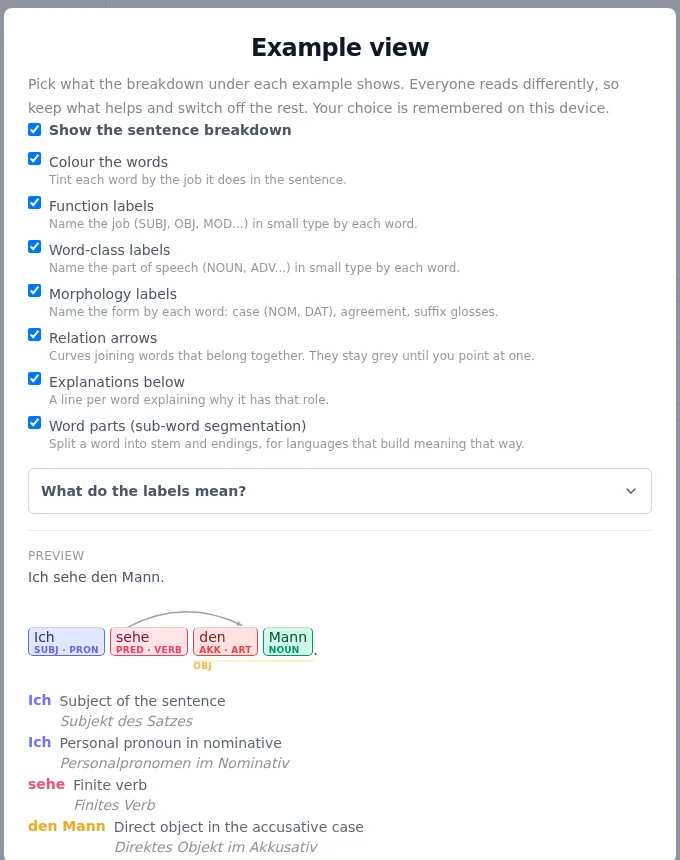
Open the Examples section and each sentence arrives with a colour-coded breakdown under it: every word tinted by the job it does, small labels naming that job and its word class, curved arrows joining words that belong together, and a line-by-line explanation below. The translation sits directly under the sentence it translates, ahead of those explanations. Each label stays short (SUBJ, ADJ, ART, and the rest) so it fits the word it tags; tap or hover one for its plain-language name without leaving the sentence.Sentence, translation, then the per-word explanations. Point at a chip to highlight the line that explains it.Underneath the breakdown sits one more layer: the target sentence over its English translation, word by word, with an arrow from each word to its counterpart. A moved word gets its own colour, a word that merges two English words or splits into several draws a bracket instead of a single line, and a word with no counterpart on the other side gets a dashed arrow to an empty slot rather than being silently skipped. Tap an arrow for the reason behind an unusual one, where the pass recorded it.That is a lot of information at once, and it is meant to be tuned. Configure example view opens a small dialog with one switch per layer, previewing your choice on the very sentence you were reading.Eight layers, each switchable, with the page's own first example as the preview.
Beginning a language? Leave Colour the words on and switch the label layers off. The colours teach sentence structure without asking you to learn SUBJ, DAT and NOUN first. The What do the labels mean? panel in the same dialog spells every label out when you are ready for them.
Your choice is stored on the device, not on the account, so a phone can stay minimal while a desktop shows everything. Pages whose examples are phrases or paradigms rather than full sentences carry no breakdown at all, and say so in a note above the examples.
What's free, what needs premium
The entire cheat-sheet library is free. Every page, every language, every kind, with no credit cost and no premium requirement. It needs an account because no part of the Learning area is public, and that is the only gate on it. Premium starts where generation starts: the course content built from a story chapter, the saved-word review queue and the grammar profile. A Practice badge in the catalogue links to a grammar course, and reading the linked rule stays free even when the course behind the badge is not.
Best practices
Keep the catalogue open in a second tab while you read a course. The library earns its keep when you look a rule up the moment it trips you.
Switch Show in to the target language once a rule is familiar. Re-reading a known rule in the language you are learning is free reading practice.
Turn the label layers off when a sentence looks like an equation. The colours alone carry most of the structure.
Read the common-mistakes box before the examples on a rule you already half know. It names the specific error your first language pushes you toward.
Use the previous and next buttons to walk a whole level in order once. It shows you what a CEFR level actually contains.
Under the hood
The pages are static files versioned in the repository, not database rows. Reading one triggers no LLM call and costs nothing, which is what makes the library free.The catalogue and every page are served by read-only endpoints that require a session and nothing else. No premium check runs on this path at all.Language and kind filters live in your browser's local storage rather than on your account, so each device keeps its own view. A stored kind with no pages in the language you switch to falls back to showing everything.The example breakdown is precomputed annotation data shipped with the page: word spans, their grammatical roles and the relations between them. The renderer draws arrows when the layout allows and degrades to paired badges on narrow screens.Below roughly 420 pixels of width the arrows are dropped by design. Curved connectors across a wrapped sentence are unreadable on a phone, so the same relations render as badge pairs instead.The example-view switches are per device. Turning a layer off hides it in the renderer and changes nothing about the stored page.The word-for-word translation is a separate, additive dataset built by the same kind of offline pass as the breakdown, keyed to the example rather than to its grammar annotation. An example with no alignment yet, or one the pass could not link with enough confidence, simply shows no arrows for that sentence and never blocks the rest of the page.