Learning turns the stories in the catalog into language practice. Pick a chapter, pick a target language and a CEFR level, and you get that chapter rewritten at your level with glossed vocabulary and exercises built from its own sentences. Around that sit a free reference library and a spaced review queue for the words you saved, plus a set of pages explaining the research each part rests on.This guide is the map: what lives in the Learning area, which parts cost nothing, and where premium starts. The reference library has its own guide in Language cheat sheets .
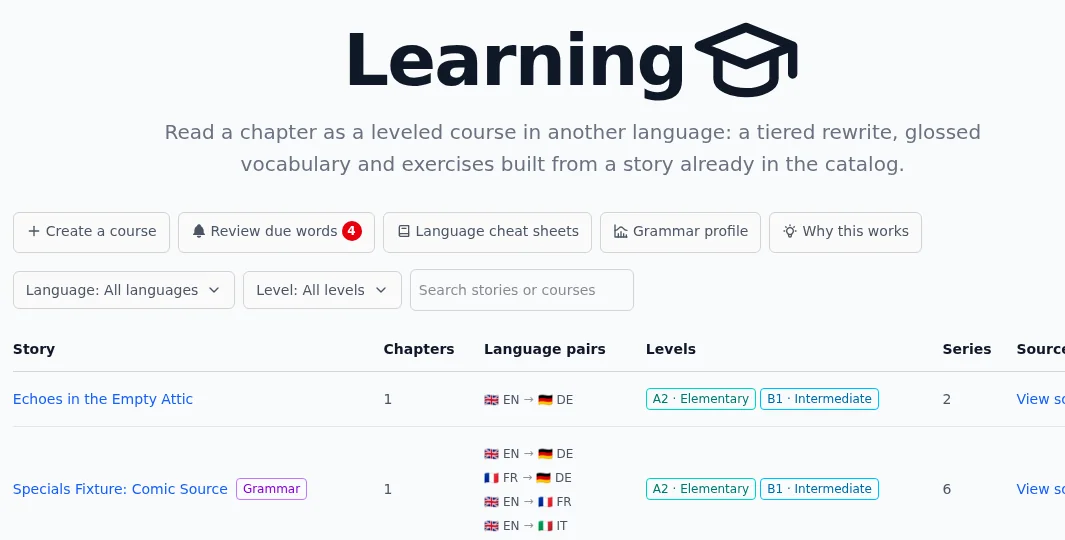
Everything starts at the Learning overview. One primary button leads: Take a check-up when you have no recorded grammar profile yet, or Create a course once you do. Below it a lighter row carries the rest of the area: Create a course when it is not the primary button, Review with the number of items due today, Saved words with how many you keep, Language cheat sheets, Grammar profile, How Learning works and Flash cards. Review, Saved words and Flash cards are part of premium, so a free account does not see them. Below that a table lists courses other learners built, filtered by language, by level or by a title search.One row of buttons covers the whole area. Review shows how many items are due today.
Learning needs an account. There is no signed-out view of it, so a link into the area asks you to sign in first.
Courses: a chapter at your level
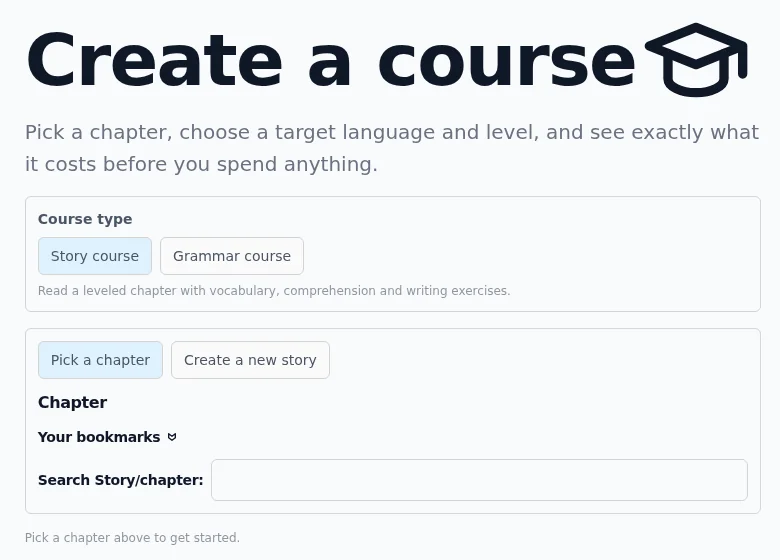
A course is built from one chapter of one story. Create a course walks you through it: choose a story course or a grammar course, pick the chapter, then set the target language and the level.Two course types, then a chapter. The price is quoted before anything is generated.A story course leads with the chapter itself in switchable versions. A glossed reading is the default, a rewrite simplified to your level sits beside it, and the original text is one click away when you want to compare. After the reading come exercises drawn from that same text: true/false/not-given, gap fill, matching, reordering, prediction, translation and error spotting. A grammar course starts from a rule rather than a plot. It opens with a labelled sentence and drills the rule through span tagging, reference tracking, transformation and error spotting.Generating a course spends credits, so the wizard quotes the exact price first and you confirm it. See credits and premium for what a credit is and how the monthly pools refill. Once built, a course stays on your shelf and its modules are cached, so reopening one costs nothing.The wizard also lets you pick a quality profile: Standard or Full. The profile decides which model builds each part of the course, the reading and its word hints, the exercises and the grammar layer, and the wizard shows what each one buys in numbers measured on frozen chapters rather than a guess. Story-aware word hints are always built on the strongest model regardless of profile, since a lighter model was measured to find only 1 in 11 of them. A course you already built keeps the model it was built with.
The cheat-sheet library
Language cheat sheets is the reference half of the area: well over a hundred pages per language, ordered by CEFR level, covering grammar rules plus the cultural traps and everyday situations added in v0.16.2 wherever they exist for the language you pick. Every page carries the rule, worked examples with a colour-coded breakdown, memory aids and the mistakes learners make with it.The library is free with an account, no credits and no premium. Its own guide covers the catalogue, the filters and the example view in detail.
Review, check-ups and your grammar profile
While you read a course you can save words you want to keep, and flash cards you practise get scheduled the same way. Saved words and due flash cards now share one spaced review queue: each item comes back just before you would forget it, and one you keep missing gets flagged so it stops blocking the rest of the queue. Review on the overview opens that queue, and its count tells you how many words and cards are due today across every language. The flash-card setup screen shows its own due count for the language you're about to practise, right next to the link that opens the queue.The check-up is the other direction. Instead of asking how confident you feel, it hands you real items and estimates your level per rule from what you actually get right. Its results feed the Grammar profile, a per-rule picture of where you are strong and where the next course should focus.
Check-ups are free with an account. Take one before your first course so the level you pick is a measurement rather than a guess.
How Learning works
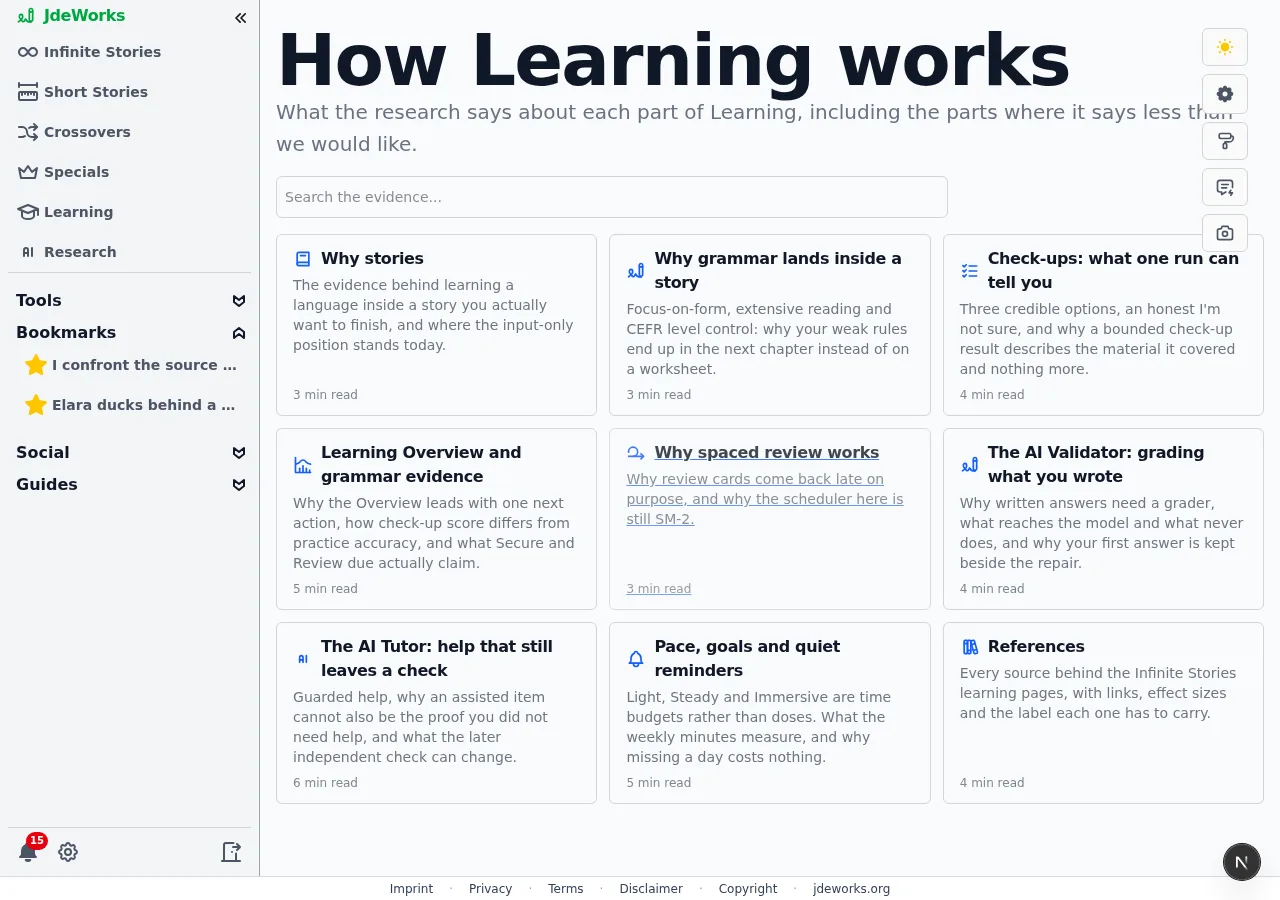
How Learning works opens a small library of evidence pages, one per part of the area. Each explains what the research supports, and several of them say plainly where the evidence is thinner than we would like. The references page lists every source with links and effect sizes.Nine evidence pages with their own search, including one that argues against reading a dashboard as progress.It is worth ten minutes before you build a course. The design choices that look odd at first, such as review cards arriving late on purpose or an item counting as supported practice once the Tutor has helped with it, all have a reason written down there.
What's free, what needs premium
Free with any account: the whole cheat-sheet library, the check-ups, the How Learning works pages, and browsing courses with their titles, module lists and cost summaries. You can look at every course anyone has published before deciding whether the area is for you. Premium starts at the generated course content. The saved-word review queue and the grammar profile sit behind the same gate. Two exceptions live inside it on purpose: the person who built a course always reads it, and so does the author of the story it was built from.
While the beta runs, premium is a single click at no cost from the Account tab of User Settings. Read credits and premium for what it changes.
Finding the Learning area
In Advanced experience mode the sidebar carries a Learning entry. Simple mode keeps the sidebar short and leaves it out, though the address still opens the area and every link into it keeps working. Switch modes with Switch to Advanced near the top of the app.The cheat sheets, the review queue and the grammar profile have no sidebar entries of their own by design. They are Learning destinations, so they are reached from the Learning page rather than from the global navigation.
Best practices
Take a check-up before your first course. It is free, and it turns the level dropdown from a guess into a measurement.
Read the source chapter as a story first, then build the course from it. You will recognise the sentences and can spend your attention on the language.
Save fewer words than you are tempted to. A review queue you finish daily beats a long one you avoid.
Use the cheat sheets while a course is open in another tab. Looking a rule up the moment it trips you is what the library is for.
Check the quote before confirming a build. Level and chapter length both move the price, and a shorter chapter at the same level costs less.
Under the hood
Every Learning route requires a session. Unlike the public story pages there is no anonymous view of the area at all, so search engines only ever see the sign-in prompt.Course content is generated once per artifact and cached. A module you have already opened is served from that cache, which is why reopening a course costs nothing while building it costs credits.One premium check guards every content endpoint: module content, quotes, builds, answers and AI Validator reports all pass through it. Course metadata deliberately bypasses it, which is how titles, module lists and cost summaries stay readable without premium.The cheat-sheet library is static, git-versioned files rather than a database table, served straight from disk. No LLM call happens when you read one, which is why it can be free.The review scheduler is a spaced-repetition algorithm in the SM-2 family, per saved word or practised flash card and per account. An item that keeps failing is marked as a leech and pulled out of rotation instead of resurfacing every day.The due count on the overview rides along with the course list request that page already makes. No polling loop runs behind that count. The flash-card setup screen's own count is a separate, lighter request scoped to the one language on screen.