Want your heist story to get lockpicking right, or your LitRPG to follow genre conventions? Research generates a grounded brief on any topic, backed by live web search with real, listed sources. Saved briefs join a public library and can feed straight into a new story's generation prompts.This guide covers browsing the library, generating and saving a brief, sharing brief pages, and attaching research to a story. Generating requires a logged-in account.
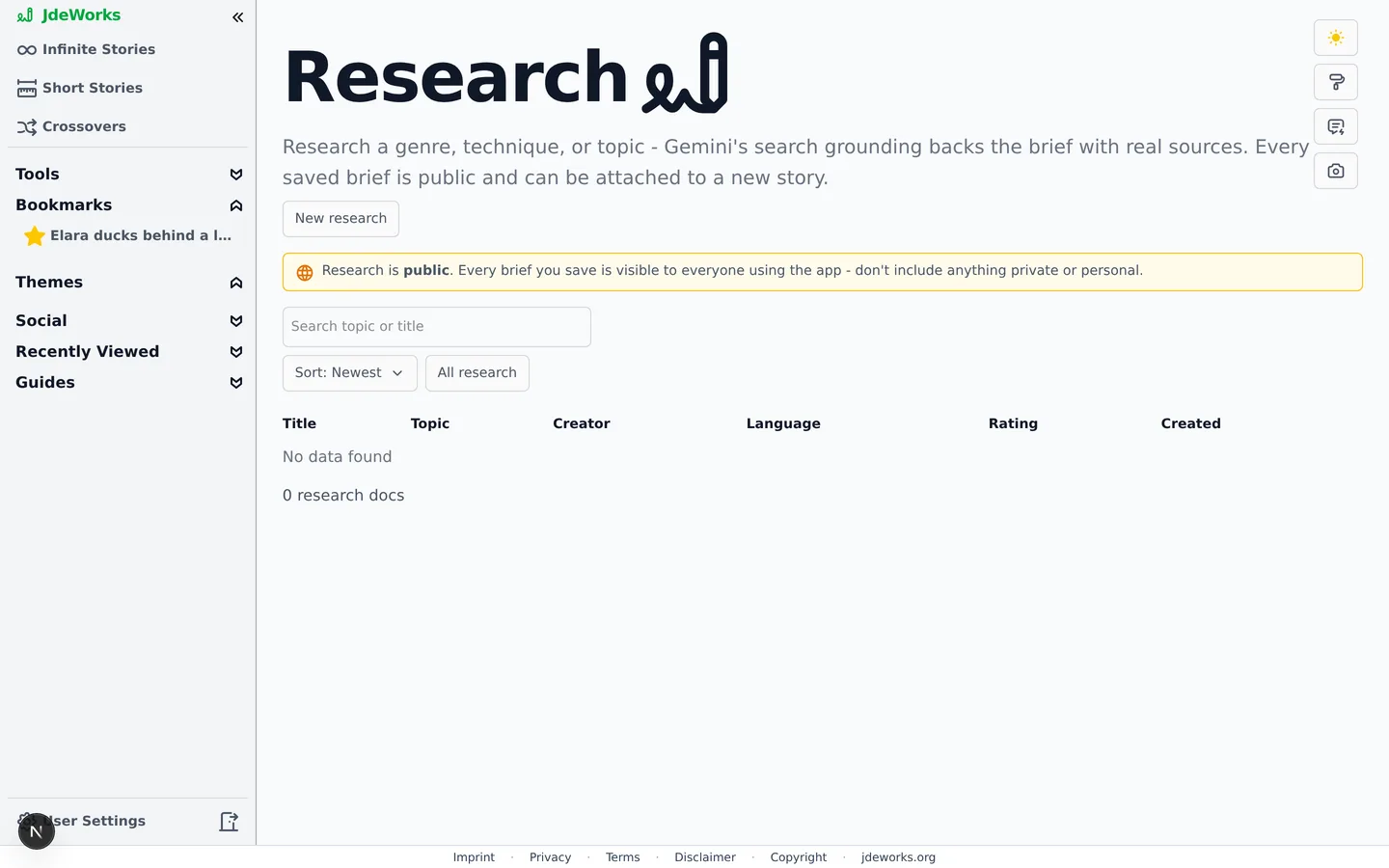
Open Research from the sidebar. The page lists every saved brief with title, topic, creator, language, rating and creation date. A search box filters by topic or title, the sort dropdown switches between Newest and Best rated, and the My research toggle narrows the table to your own briefs.Every saved brief is part of one shared public library.
Research is public. Every brief you save is visible to everyone using the app. Do not include anything private or personal. The page shows this notice permanently.
Generating a brief
Click New research in the top right.
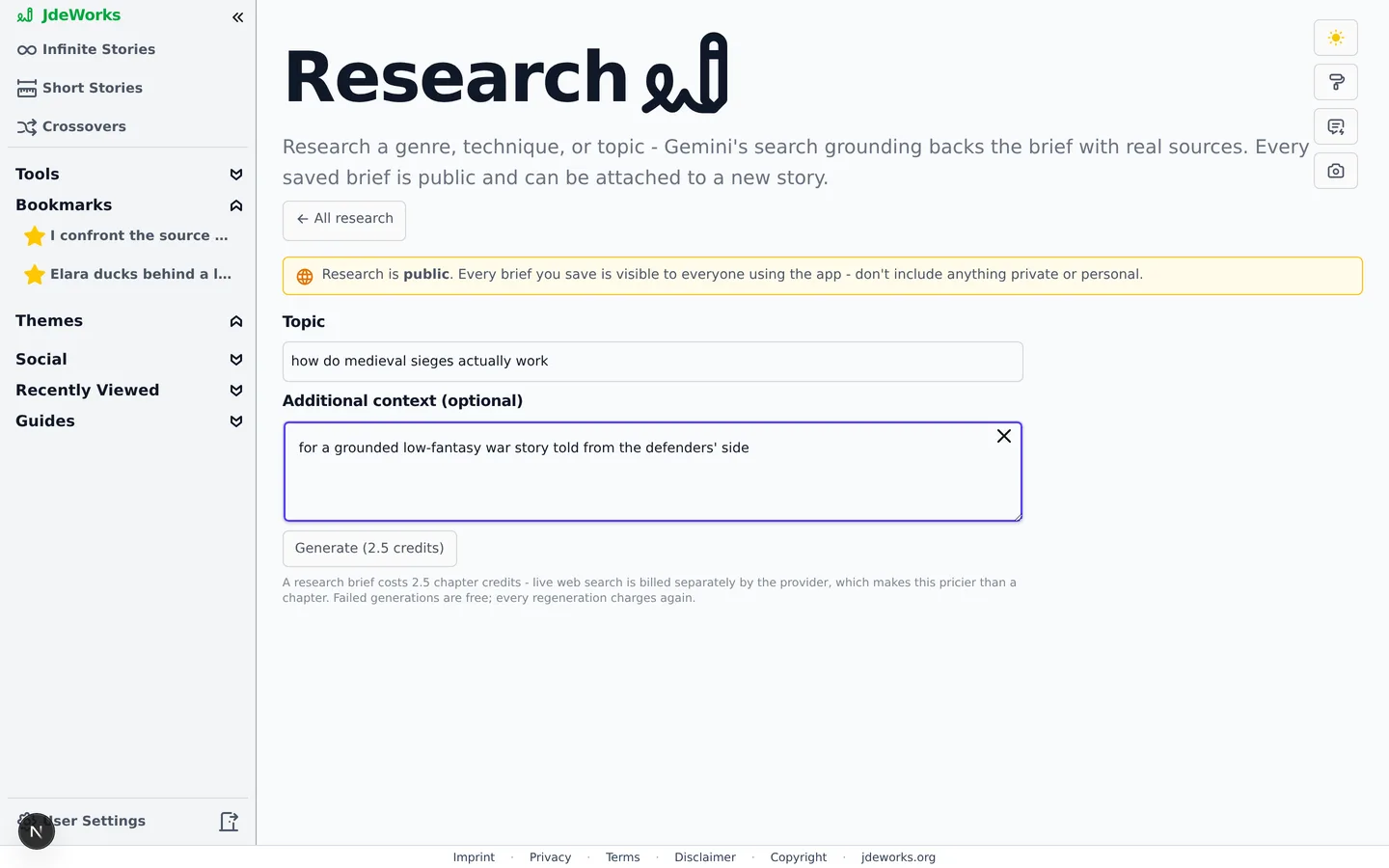
Enter a Topic, for example what is a litrpg and how to write it.
Optionally add Additional context, for example for a YA fantasy story, to slant the brief toward your project.
Click Generate. The button shows the exact price, for example Generate (2.5 credits). The brief arrives after a short wait.
Topic plus optional context. The price is always on the button.A brief costs more than a chapter because the model runs live web searches during generation, and the search calls are billed separately by the provider. The trade is worth knowing: failed generations are free, and every regeneration charges again.
Review and save
The generated brief appears for review before anything is stored: a stats line with word count, estimated reading time, the number of sources and web searches used, then the full text, then a Sources list linking to the pages the model grounded itself in. Briefs aim for roughly 4500 to 5500 words with a story-focused lead section.If the brief is good, click Save (public). It lands in the library and you are taken to its page. If it misses the mark, leave via All research and the draft is discarded without a trace. Nothing unsaved is ever stored.
Shareable brief pages
Every saved brief lives at its own address under /research, and that page works for everyone, including visitors without an account. Sharing a brief is just sharing its link. Logged-in readers can rate briefs up or down, which drives the Best rated sort.
Source links use Google's search-grounding redirects, which stay valid for about 30 days. After that an expired link degrades to plain text with a note, while the brief content itself stays intact.
Feeding research into a story
When creating a full story in Advanced, the Starting setup step has a Research doc (optional) field that searches the saved briefs. Pick one and its content is fed as extra background into the story's generation prompts, so chapters can draw on the researched facts. Anyone's public brief works, and your story is not limited to your own research.The field is always there in the full story creation flow, with a search box and a count of matching briefs. With none saved yet it says No research docs available yet. Generate the research first, then start the story.
Best practices
Phrase topics as what you want to learn, for example how do medieval sieges actually work, rather than a bare keyword.
Use the context field to anchor the brief to your project. For a YA fantasy story changes what the brief emphasizes.
Review before saving. Saving is public and permanent for everyone to see, so discard weak briefs and regenerate with a sharper topic.
Browse the library before generating. Someone may have researched your topic already, and attaching their brief costs nothing.
Generate research before creating the story, since the brief is attached at story creation.
Under the hood
Research runs on a pinned Gemini model with Google Search grounding enabled, independent of your model picker. Sources and search queries are extracted from the grounding metadata and stored with the brief.Pricing uses the grounded billing class, a multiplier on the base chapter cost. Credits are reserved before the call and refunded on any failure, so only successful generations charge.Brief content is capped at 50,000 characters at save time. When attached to a story, the first 8,000 characters are injected into the generation prompts as background.Saved briefs have no private mode by design. The library endpoint serves all saved docs, and individual brief pages are readable by anonymous visitors on shared links.Story language detection and rating work like elsewhere in the app: briefs get a language badge and an up/down rating that feeds the Best rated sort.