Two tools save you when a story grows past the point where you hold it all in your head. The story so far replays the chapters behind you in one scrollable recap, without leaving your spot. The rework tools rewrite a finished short-story chapter, either directly or guided by the Story Analyzer's findings.This guide covers both, plus a distinction that trips up many readers: the recap you open while reading an infinite story and the recaps a long-form short story writes for itself are two different systems.
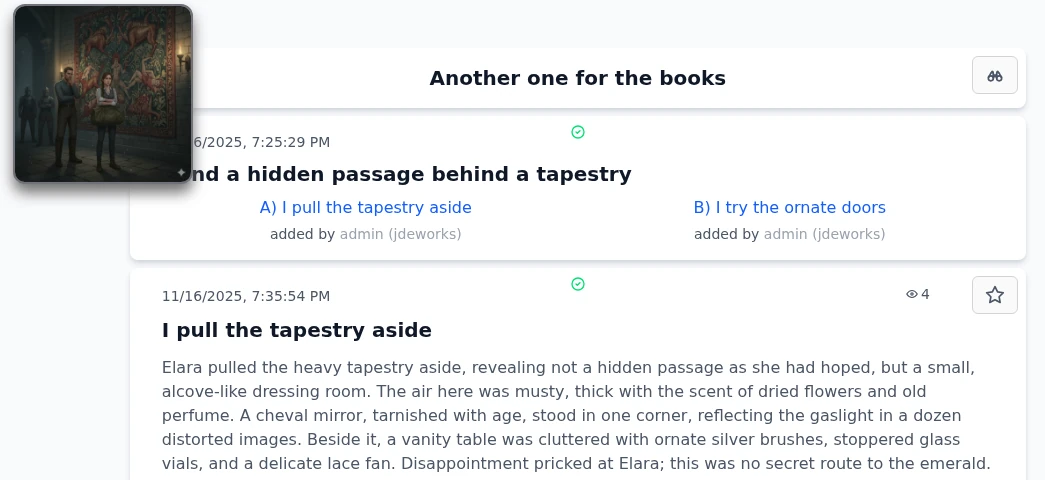
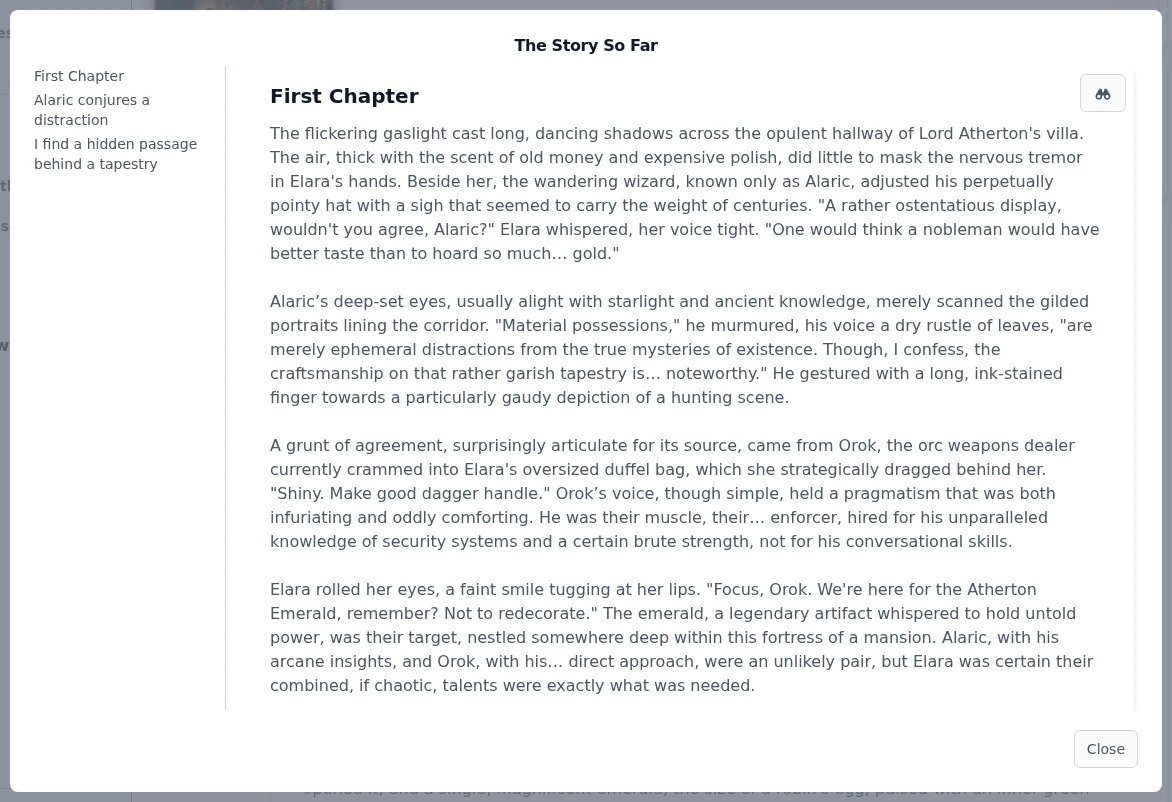
From chapter three onward, every chapter page of an infinite story shows a binoculars button on the story name card. On phones the same entry lives in the ⋯ menu as The story so far. It opens the recap for exactly the path you are on: not the whole tree, just the chapters that led to where you stand.The binoculars on the story card open the recap, available from chapter three onward.The recap shows your path from oldest to newest. The first chapter is always anchored at the top, and if chapters between it and your recent stretch are missing, a Load earlier button fills the gap upward chunk by chunk. On desktop a table of contents on the left jumps to any loaded chapter. The binoculars button on a recap card navigates to that chapter for real, so the recap doubles as a fast way back to an earlier fork.Full chapter texts, oldest to newest, with a jump button on every card.
Everything in the recap is re-read, never re-generated. Opening it costs nothing and works for guests too.
Not the same thing: long-form recaps
The word recap appears in one more place, and it means something else there. When a long-form short story generates a chapter, it automatically writes a short summary of that chapter afterward. Those writing recaps exist for the AI, not for you: the last three of them, plus the closing sentences of the previous chapter, are fed into the next chapter's prompt so the story stays consistent over tens of thousands of words.So: The story so far is a reading aid on infinite stories. You open it, it re-displays existing chapters, it never touches the story. Long-form recaps are a writing aid on long-form short stories. They are generated automatically, billed as small helper calls, and you only meet them inside the long-form workflow described in the short stories guide .
Infinite stories have their own memory mechanism as well: a summary prompt condenses every five chapters in the background. You never see it while reading, but it is what keeps generation coherent at depth 50.
Reworking a chapter
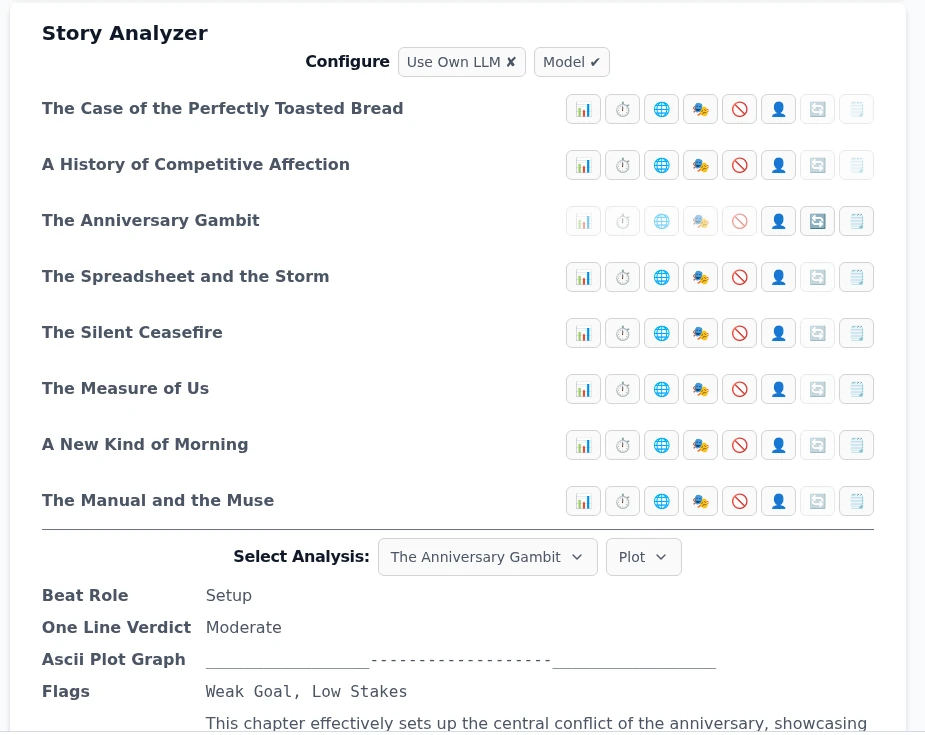
On your own one-shot short story you can have the AI rewrite a single chapter instead of regenerating the whole story. The direct route: switch to editing mode with the pencil button, and every chapter gets its own AI button with the hint Rewrite current section. It supports the Model switch and a Custom Instruction, so you can say what should change.The precise route goes through the Story Analyzer panel on the story page. Expand it and each chapter shows a row of analyzer buttons: Plot, Pacing, Language, Character & Emotions, What to avoid, Humanization and a Summary. Each run produces a structured report you can read below the table. Results are remembered per chapter and marked outdated when the chapter text changes.One row per chapter. Greyed buttons mean the analysis already exists and is up to date.Once at least one up-to-date analysis exists for a chapter, that chapter's rework button activates. It opens the Configure what to include in the rework prompt dialog rather than generating blindly.
Configuring the rework prompt
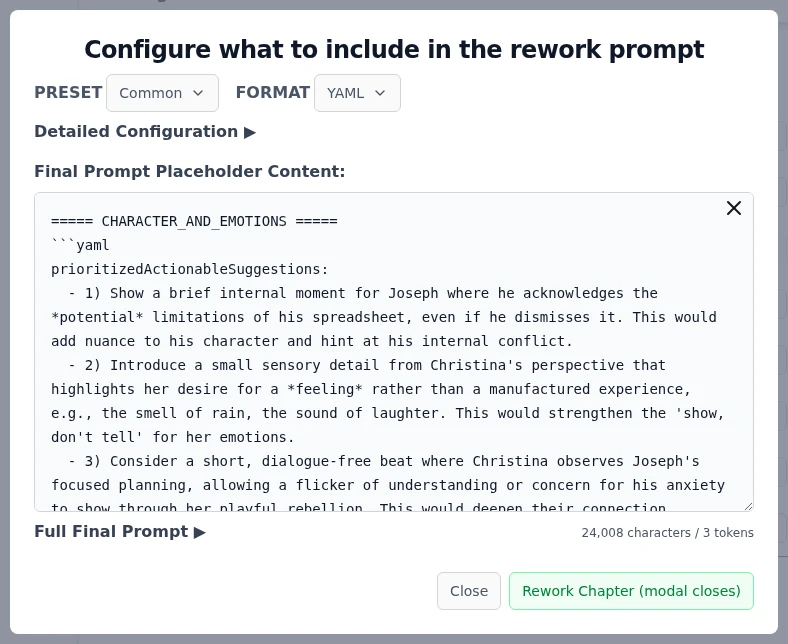
Pick a PRESET: Common selects the actionable parts of each analysis (suggestions, flagged items, before/after showcases), Full Dump takes everything, Summary Only keeps it minimal. Touching anything switches to Custom Configuration.
Pick a FORMAT for how the analysis data is serialized into the prompt: YAML, JSON or XML. YAML is the default and usually the right choice.
Open Detailed Configuration to cherry-pick individual findings, or Full Final Prompt to read the exact text the model will receive.
Check the character counter, then press Rework Chapter. The dialog closes, the rewritten chapter streams in, and nothing is permanent until you save the story.
You see and control exactly what feeds the rewrite before anything is billed.
A rework produces a whole chapter, so it bills like one: the standard chapter rate times your model's credit factor. The analyzers themselves are cheap helper calls. See credits & premium .
Best practices
Open the recap instead of scrolling back up the tree. The binoculars button on any recap card takes you to that chapter when you actually want to move.
Returning to a story after weeks? Read the last two or three recap chapters before picking a choice. Wrong-feeling choices usually come from forgotten context.
Run one analyzer first, read its report, then decide if you need more. Each analyzer is a separate small helper call.
Start reworks from the Common preset. Open Detailed Configuration only when the rewrite should focus on specific findings, for example only the pacing flags.
Glance at the character counter before submitting a rework. A leaner prompt selection usually rewrites more faithfully than a full dump of every analysis.
Under the hood
The recap fetches stored chapter texts over the regular API. No LLM runs, nothing is billed, and the first chapter is loaded without counting as a view. Load earlier pages backward through the parent chain in chunks.Long-form recaps are the other system: generated automatically after each long-form chapter and billed as helper calls at 0.125× the model factor. Each chapter prompt receives the last three recaps plus the closing sentences of the previous chapter.Analyzer results are stored per chapter together with a hash of the chapter text. A text edit invalidates the hash, which marks the stored analysis outdated and re-enables its button. The rework button requires at least one up-to-date analysis (the Summary does not count).Rework arrives through the analyzer UI but outputs a full chapter, so it bills as a chapter (1.0× the model's credit factor), the same rate as a regular infinite story chapter. The analyzers bill at the 0.125× helper rate.The rework prompt is assembled in your browser from the selected analysis sections and the chapter text, serialized in your chosen format. The token figure next to the character count reflects the prompt-size rule of thumb the dialog states: 10,000 characters count as one request.