Infinite stories are the core format of the app: branching stories, also known as choose-your-own-adventure or text adventures. An infinite story is never finished. Every chapter ends in choices, every choice can grow into its own continuation, and every reader can push the tree one chapter further.This guide explains the format itself: how the tree works, who can add to it, and how it compares to short stories and crossovers . For the creation wizard see Create your first story , and for the reading view see Reading: choices, custom choices & bookmarks .
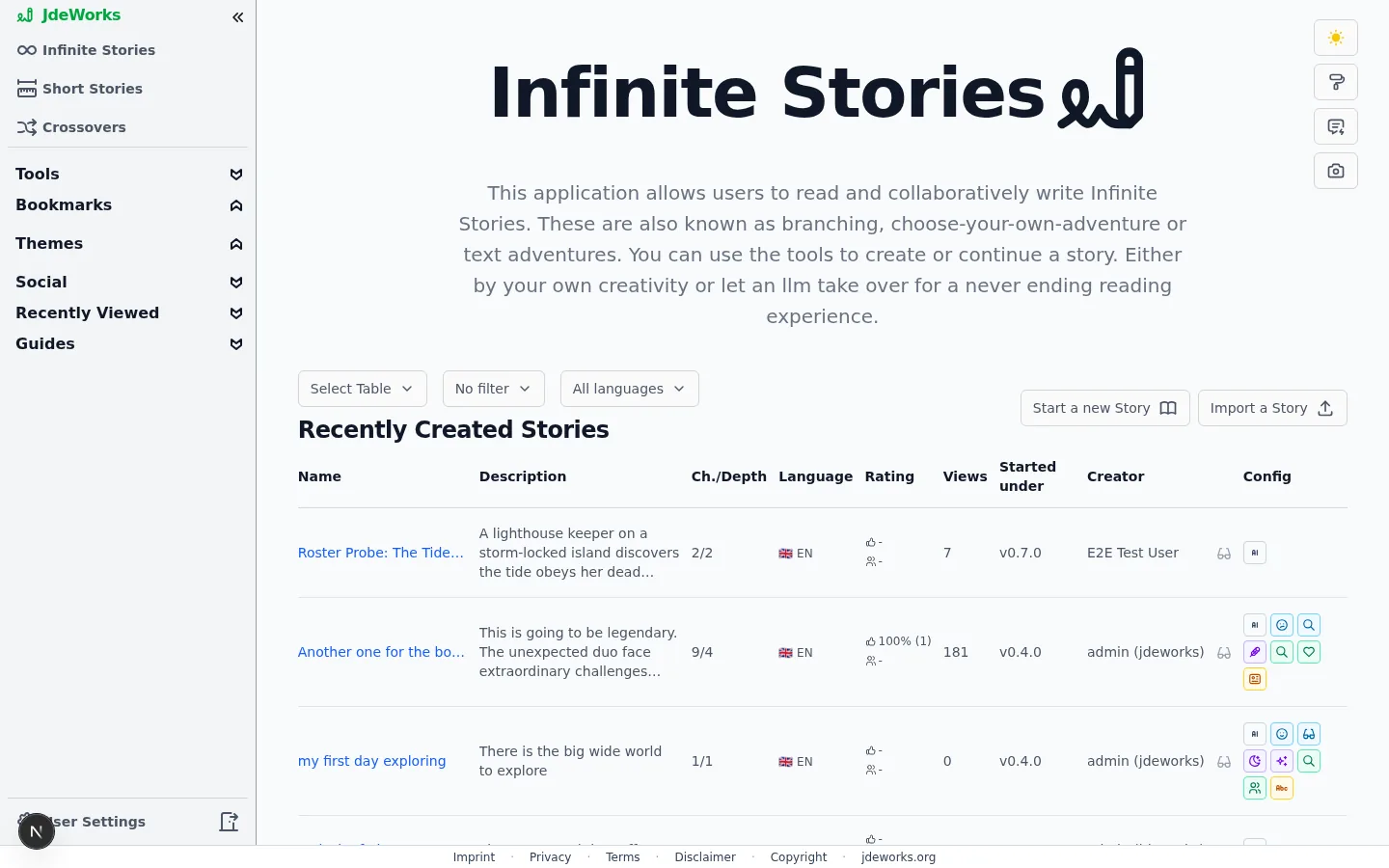
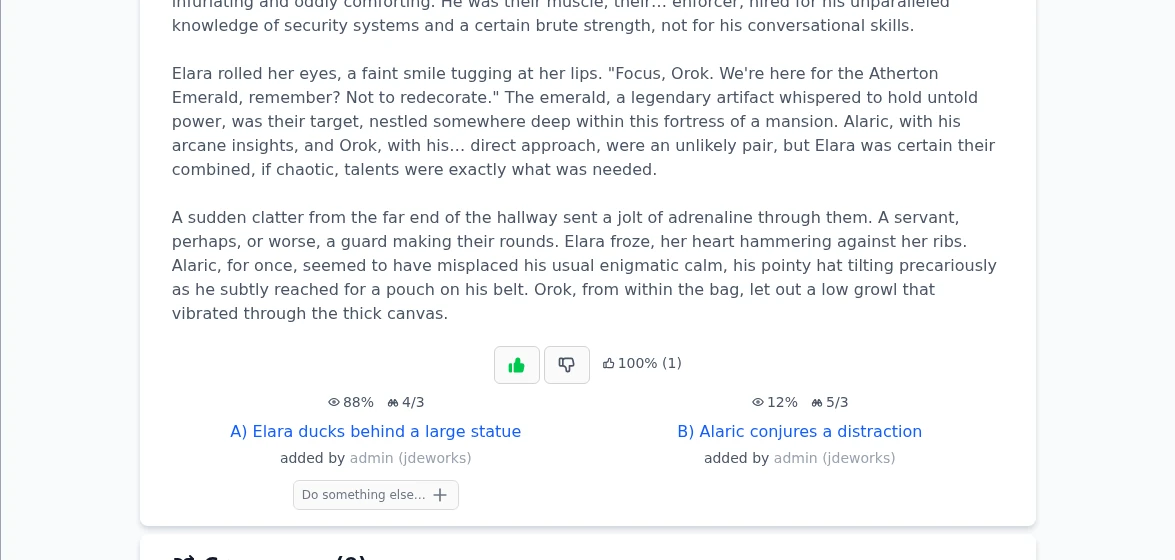
A classic story is a line. An infinite story is a tree: it starts with one opening chapter, and each chapter offers lettered choices. Behind every choice another chapter can exist, with choices of its own. There is no final page. A path simply ends where nobody has continued it yet, and that is exactly where the next reader can pick up the pen.The Infinite Stories page lists public trees anyone can read and continue.Above every table sit up to three dropdowns. Select Table switches between the prepared tables, Language narrows the list to one language (available logged out too), and a mine filter appears when you are logged in, to show or hide your own.Six prepared tables here: Recently Created Stories, Infinite Most Viewed, Infinite Best Rated, Stories With Most Choices, Recently Created Chapters and Highest Chapter Depth. The last two list chapters rather than whole stories, so you can drop into the newest or the deepest part of the library.Because of the tree shape, two readers of the same story can have completely different experiences. The path stats on each choice, the eye percentage and the binoculars numbers, tell you how popular a branch is and how much there is to read down that way. The reading guide explains them in detail.Every chapter ends in choices. The stats show where other readers went.
Growing the tree together
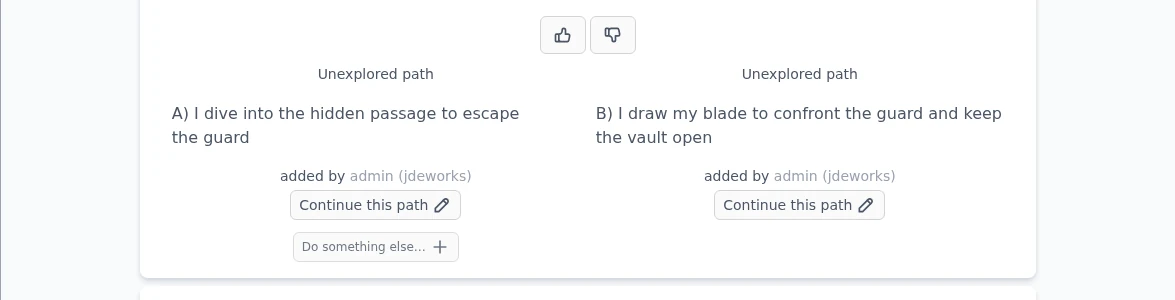
Infinite stories are collaborative by default. Reading is free for everyone, even without an account. Logged-in readers can do more: a choice nobody has explored yet shows a Continue this path button, and pressing it generates the continuation chapter in your name. From then on, added by credits you under that choice.Unexplored choices are open invitations: one press generates the next chapter.Premium readers can go one step further with Do something else… and write a choice of their own instead of picking an offered one. The new choice becomes a visible path on the chapter that everyone else can follow for free.
Continuing a path costs one text credit per standard chapter on the default model. Reading never costs anything. See Credits & premium explained .
Infinite story, short story or crossover?
Pick an infinite story when you want an open world that readers explore and extend: branching plots, community-written paths, a story that keeps growing. It is the only format where the audience shapes the plot.Pick a short story when you want a finished, linear piece: a True One-Shot generates the whole story in one go, Long Form builds it chapter by chapter from an outline. Short stories are also the only format you can embed on your own website.Pick a crossover when you already have stories and want to merge their worlds. A crossover starts from existing chapters and can itself continue like an infinite story, choice by choice.Each format has its own home in the sidebar.
Owner controls for the format
As the story owner you decide how open your tree is, from the Story details block on the story's overview page. That block now opens collapsed on every visit, so tap it open first. Visibility has three states: Private (only you), Unlisted (anyone with the link, invisible in search and discovery) and Public (listed everywhere, and other readers can continue paths unless you lock that). Details live in Share, embed & collaborate .Three switches in the story configuration shape how others may build on your story. Only I and people I invite can continue, next to Visibility, keeps reading open but lets only you and your invited co-writers add chapters, choices or crossovers. Exclude added choices removes the Do something else… button on your story, keeping the tree limited to the choices the AI offers. Exclude from crossovers keeps other creators from merging your story into a crossover.Visibility, the continuation lock and the two exclude switches control how open your tree is.
The two switches sound similar but do different things: Exclude added choices is about readers writing custom choices inside your story, Exclude from crossovers is about other stories merging with yours. Both freeze once somebody else has written into your story, so set them early. The continuation lock never freezes: you can flip it at any time, and fan fiction starts with it on.
Best practices
Start the tree with a strong fork: an opening chapter whose choices point in genuinely different directions gives readers a reason to explore more than one path.
Leave room for others. A public infinite story grows fastest when unexplored choices stay open, so resist the urge to continue every path yourself.
Decide on Exclude added choices and Exclude from crossovers before publishing. Both switches lock the moment the story goes public.
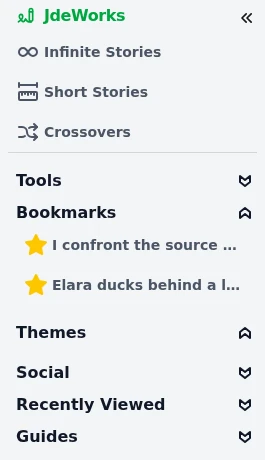
Use bookmarks at big forks while you read, and check the binoculars numbers to find the deep branches worth following.
If you want a finished, shareable piece instead of an open world, write a short story . You can always spin an infinite story off the same idea later.
Under the hood
An infinite story is stored as a tree of chapters. Each chapter belongs to the reader who generated it, and the story as a whole belongs to its creator. Deleting is only possible where nothing hangs below.A standard chapter costs 1 text credit at the default model. Model choice multiplies that base rate, and the price is always shown before you generate.While a continuation is being generated its choice slot is locked with a countdown, so two readers cannot generate the same path at once.Public infinite stories appear in the Story Finder under the type Infinite. Unlisted stories never appear in search, discovery or statistics.Embedding via iframe is intentionally limited to short stories. Infinite stories are meant to be read inside the app, where choices, stats and continuation work.