An infinite story is a tree. Every chapter ends in choices, every choice can grow its own continuation, and the numbers next to each choice tell you where other readers went and how far the path runs. Following existing paths is free for everyone, even without an account.This guide covers the reading view piece by piece: voting, the path stats on choices, adding your own choice with Do something else…, and bookmarks so you can find your way back.
Explore an Infinite story
Read a community story, follow a branch, and discover the main reading tools.
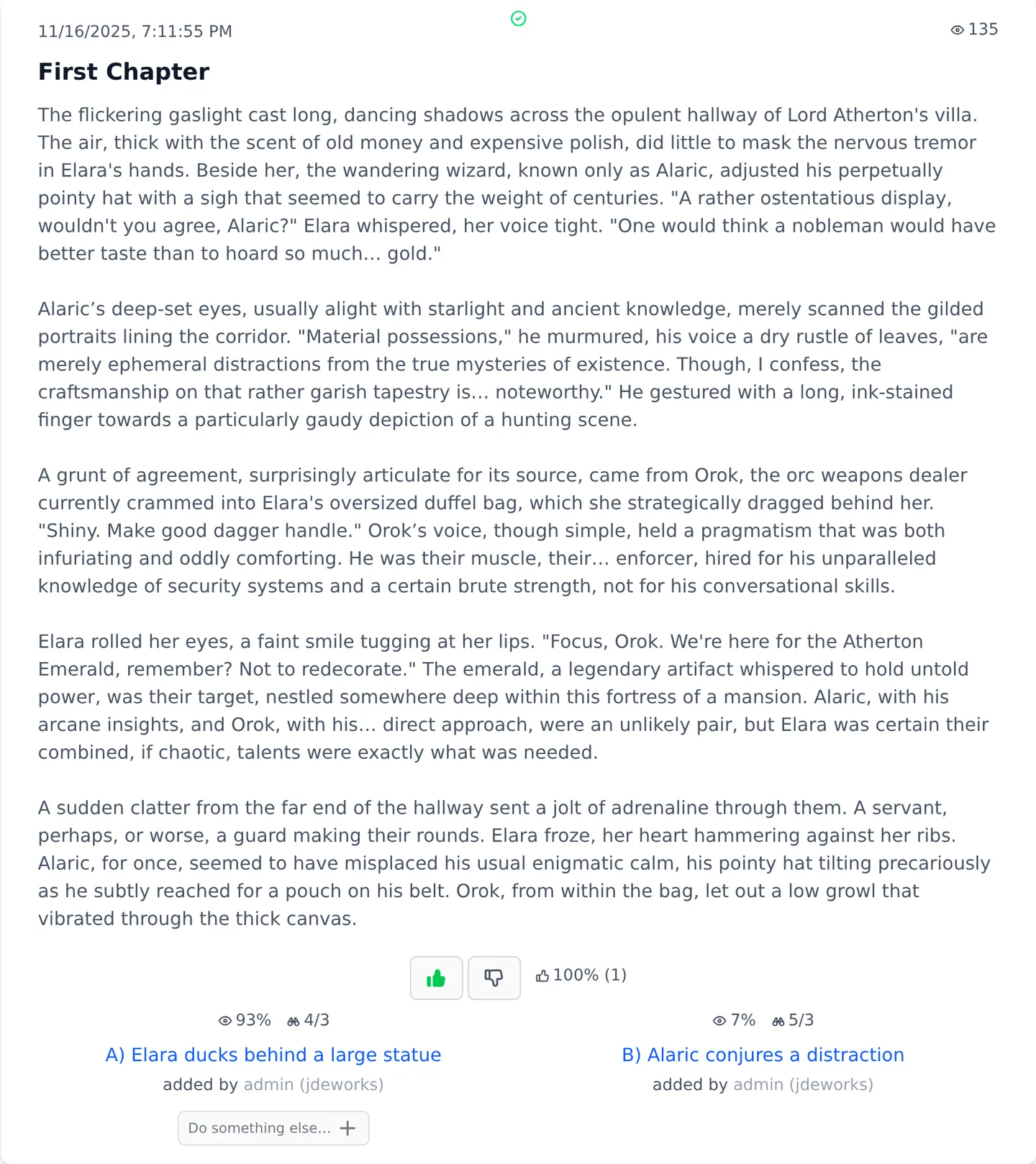
A chapter card shows its title, the date and an eye icon with the chapter's view count. The creator's own reads do not count. Below the text sit the thumbs for rating the chapter up or down. Guests can vote too, and tapping your thumb again removes the rating. Two small scores next to the thumbs split the result into member votes and guest votes.One chapter: view count on top, thumbs below the text, choices at the bottom.
Creators cannot vote on their own chapters. Both the vote buttons and the path stats can be hidden in User Settings .
Choices and path stats
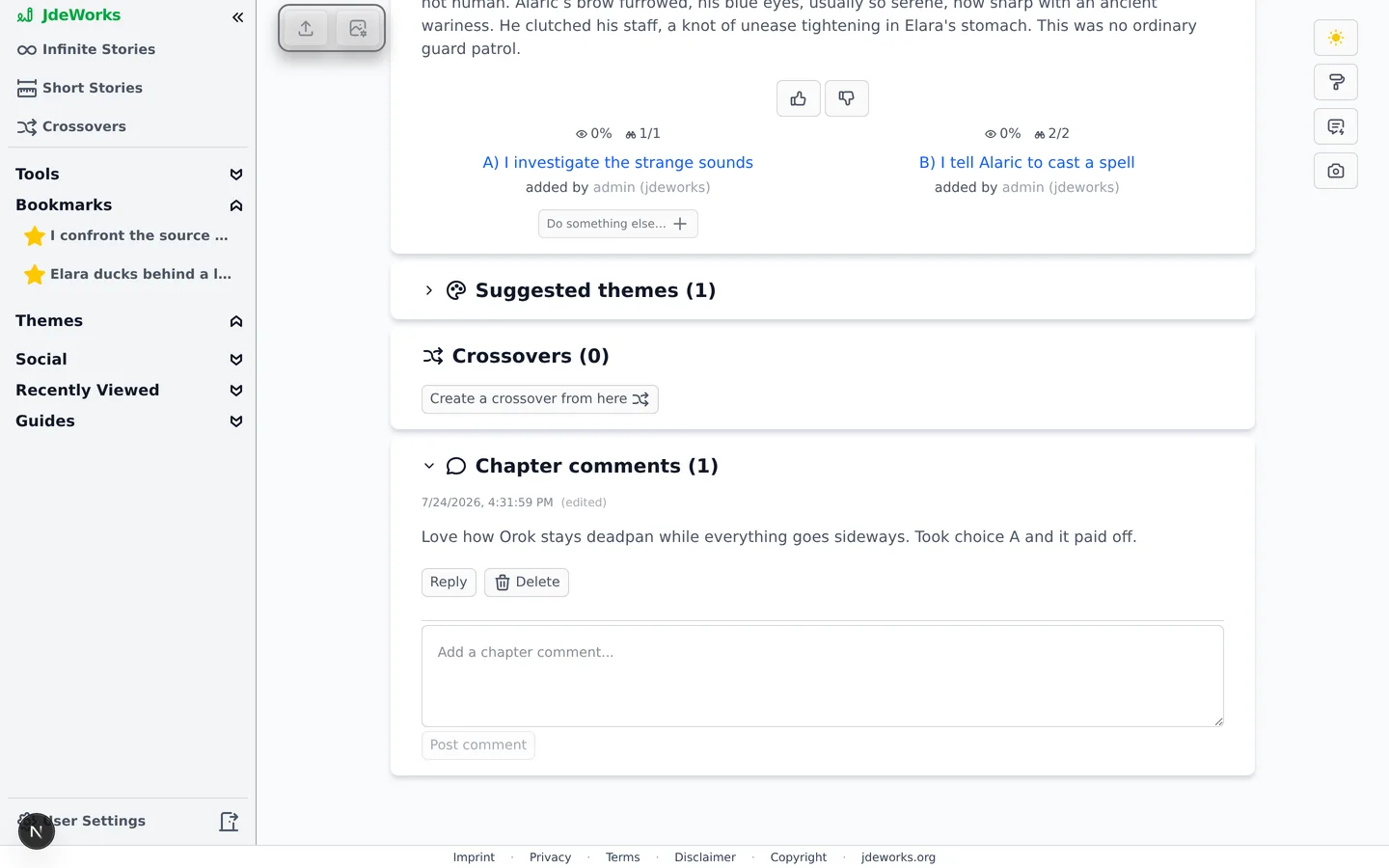
Choices are lettered A), B) and onward. Each explored choice carries two small stats. The eye icon shows the share of readers who went this way at this fork, for example 62%. The binoculars show two numbers like 22/8: how many chapters can be read down this choice, and how long the longest path continues from here. Hover either icon for the full explanation.Eye: share of readers who picked this path. Binoculars: readable chapters / longest remaining path.Below each choice, added by names who created that path. The name is a link that opens all public content by that creator. Clicking a choice that already has a chapter simply navigates there. A choice nobody has taken yet has no chapter behind it, and logged-in readers get a Continue this path button to generate the continuation themselves.
You never need credits to read. Generation only happens when you press Continue this path on an unexplored choice. While someone else is generating a path, its button shows a countdown lock. If the author switched on Only I and people I invite can continue, the button stays disabled for everyone else with a short note. Reading is never affected.
Do something else: custom choices
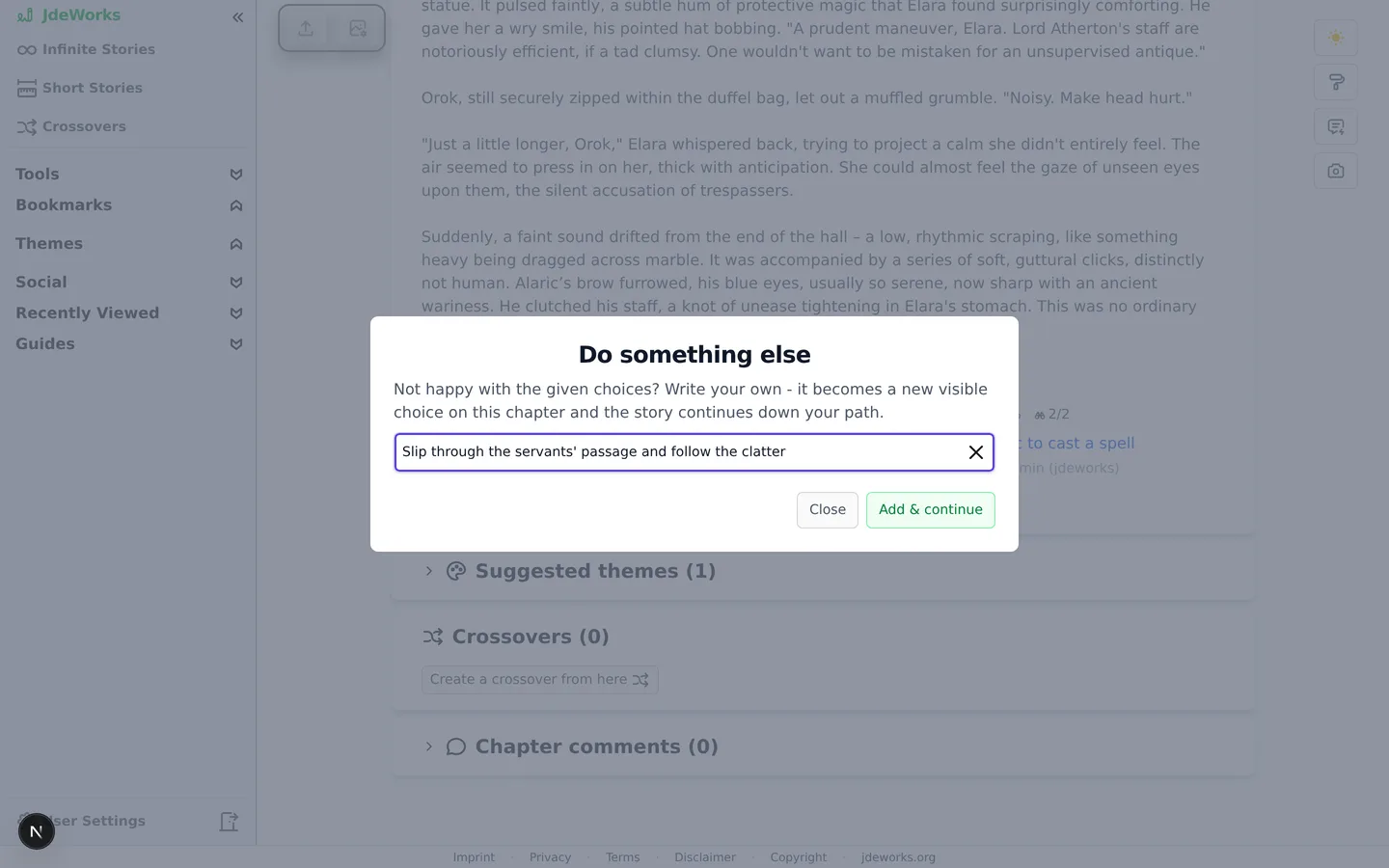
When none of the offered choices fit, premium readers get a Do something else… button under the choices. It opens a small dialog where you write your own choice in up to 125 characters. Add & continue turns it into a new lettered choice on the chapter and takes you straight into generating its continuation.Your own choice becomes a visible new path on the chapter.Adding a choice is premium. Following choices that others added is free for everyone. Story owners who want a tightly authored tree can tick Exclude added choices in the story settings, which hides the button on their story. That switch can be changed until somebody else has written into the story.
Bookmarks
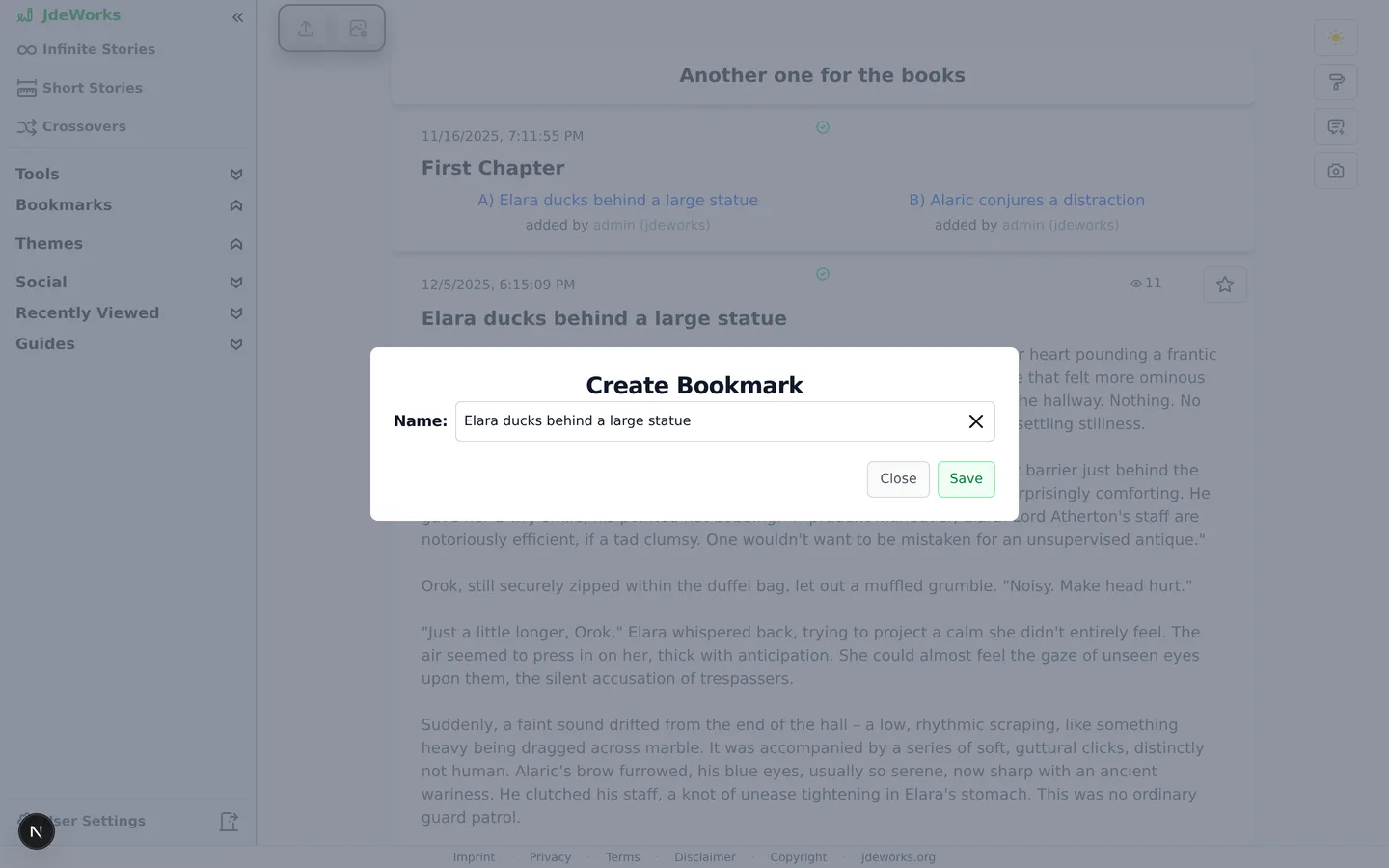
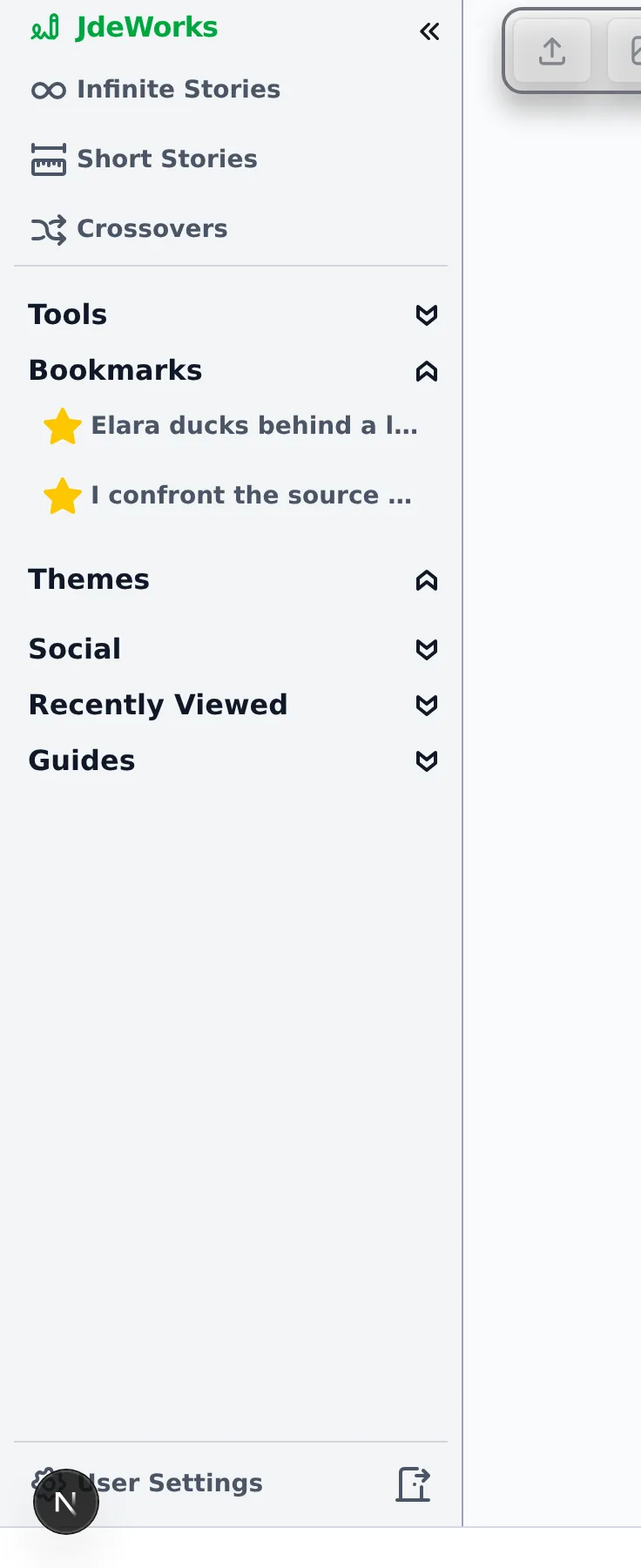
Deep story trees need waypoints. The star button in the top right corner of the chapter card opens the Create Bookmark dialog, pre-filled with the chapter title. Rename it if you like and press Save.The star on the chapter card creates a bookmark. Opening it again removes one.Your bookmarks appear in the sidebar under their own heading, each with a yellow star. One click jumps back to exactly that chapter in that story. Clicking the star on an already bookmarked chapter opens the same dialog in Remove Bookmark mode.Bookmarks belong to your account, not to a story or a device: one list collects chapters from every story you read, and it follows your login onto any browser. Since each entry jumps to an exact chapter, the strongest habit is bookmarking fork points. Mark the chapter where the paths split, read one branch to its end, then jump back through the sidebar and take the other arm.Bookmarks live in the sidebar and jump straight back to the chapter.
Below the chapter: crossovers and comments
Two more sections follow the choices. Crossovers lists stories that merge this one with another world, each with its own stats, plus a Create a crossover from here button for logged-in readers. The full feature has its own crossovers guide .Chapter comments holds the discussion for exactly this chapter. Logged-in readers can post, reply, edit their comment within 15 minutes, and report others. Story owners can also delete comments on their story.Every chapter carries its own comment thread.
Reading a deep story? From chapter three onward, The story so far gives you a recap so you never have to scroll back up the whole tree. How it works, and how it differs from long-form recaps, is covered in chapter tools .
Best practices
Read the binoculars before you pick: a choice showing 22/8 has far more to read than one showing 2/1. The eye percentage tells you the popular route, which is fine to ignore.
Bookmark before you branch. At a fork you want to revisit, drop a bookmark first, explore one arm, jump back via the sidebar and take the other.
Use Do something else… when the offered choices miss the story you want to read. Your choice becomes a public path others can follow for free.
Vote with the thumbs as you read. Ratings guide other readers and cost nothing, and you can always undo them with a second tap.
If the numbers distract you, hide path stats or vote buttons in User Settings . The story itself stays untouched.
Under the hood
Following an existing choice is plain navigation to that chapter's page. No LLM runs and nothing is billed. Generation only starts on Continue this path or Add & continue. On a story with the continuation lock on, the server lets only the owner and accepted invitees continue, add choices or branch.The eye on a choice is the share of readers among all siblings at that fork. The eye in the chapter header is an absolute view count that excludes the creator's own reads. The binoculars numbers are subtree size and remaining depth of the longest path.While a path is being generated, the slot is locked with a countdown so two readers cannot generate the same continuation at once. Your own lock is shown as my lock.Votes are stored per member account, and guests vote via an anonymous client id. Members and guests are tallied separately, and the server rejects self-votes by creators.Custom choices are capped at 125 characters and the button only appears on infinite stories that have not excluded added choices. The exclusion flag freezes once somebody other than the owner has written into the story.